To create an event that will be associated with your club, navigate to My Profile from the main menu and choose My Clubs from the dropdown list. Your clubs will then appear.
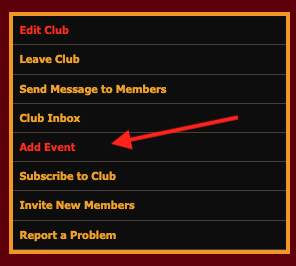
Select View Club and you'll be taken to your club's page. From the info box, select Add Event. A new page will appear.
From the Create New Event page, enter your event information and set the event privacy preferences. Once done, select Add Event. Your event will be saved.
‼️ To copy an event to create another and save time, see this FAQ.
Was this article helpful?
That’s Great!
Thank you for your feedback
Sorry! We couldn't be helpful
Thank you for your feedback
Feedback sent
We appreciate your effort and will try to fix the article

